Free playbook
Turn one long video into a week of posts
Paste a YouTube link, pick your clips, and get captioned HD clips back in minutes. No editing software, no watermark.
39,000+people have signed up
“One episode gives me a week of posts. I paste the link, come back later, and the clips are sitting there ready to go.”
 MaddiePodcast clipper
One link
that's the whole input
Minutes
from paste to captioned clips
No editing
nothing to learn, nothing to install
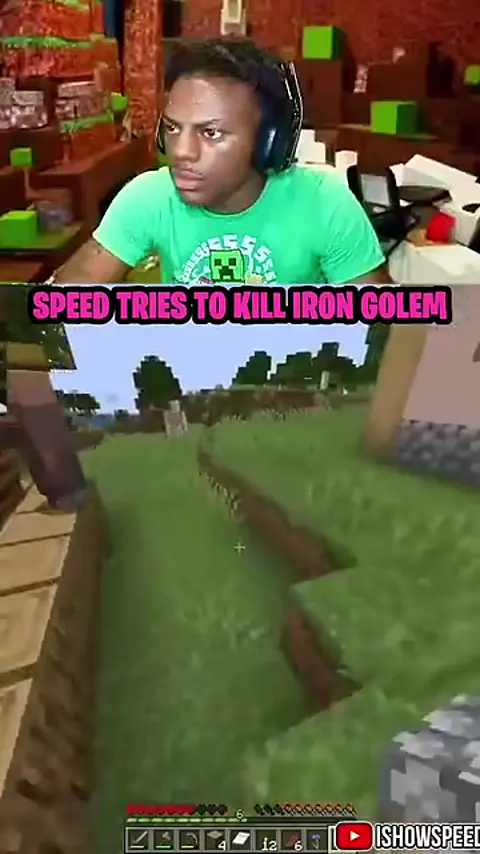
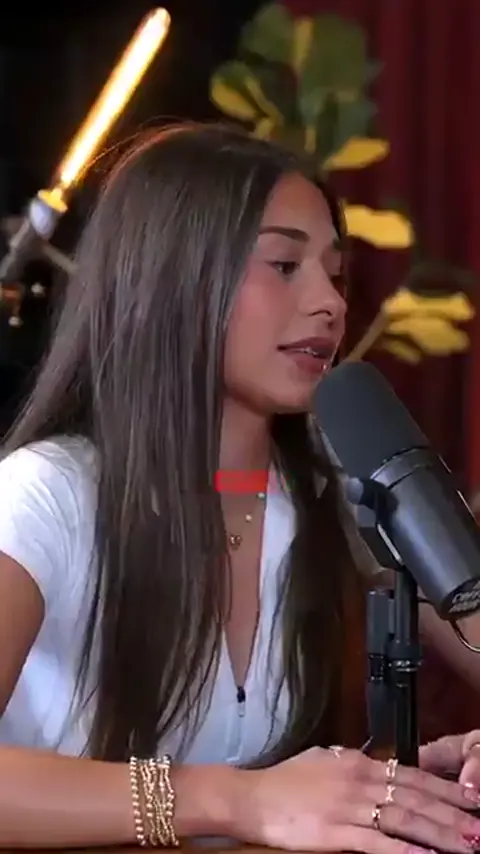
This is what comes out the other end.
Vertical, HD, captioned and no watermark — ready to post the moment you download them.

Here is the whole process, in five steps.
Read this once and you'll know as much as anyone selling a course on it. Nothing held back, nothing saved for later.
- 1
Pick a video worth cutting up
The source decides the clips.
Long videos with real talking give the best results: podcasts, interviews, commentary, stream replays, and gameplay with commentary over it. Music videos and silent gameplay give it almost nothing to work with.
It doesn't have to be yours. It does have to be public: private, age-restricted and members-only videos can't be pulled in. Sources can be up to 60 minutes long.
Start here: Open YouTube, copy the link to a talking video under 60 minutes.
1 min
- 2
Paste the link into Vixal
One box. That's the whole interface.
The clipping screen is a single paste box with your finished clips underneath it. Drop the link in and it pulls up the video so you can check you grabbed the right one.
Start here: Open the clipping tool, paste your link into the box.
10 sec
- 3
Pick your clips
A few choices under the paste box. The defaults are fine.
How many: anywhere from 1 to 10 clips. How long: 15–30 s, 30–60 s or 60–90 s. The shape: vertical 9:16 for Shorts, Reels and TikTok, or horizontal 16:9 for long-form channels.
For vertical clips, pick the framing: Auto, Follow speaker, Split screen, Fit with blur, Gameplay or Center. Captions are on by default: choose Bold, Minimal or Karaoke and put them at the bottom, middle or top, or switch them off.
Want a specific topic? Type it into the optional “Find moments about…” box and Vixal looks for those parts first.
Start here: Set the clip count, length, shape, framing and caption style under the paste box.
20 sec
- 4
Generate and walk away
This is the part that used to take an editor a day.
Vixal pulls the source in HD, finds the strongest moments, and renders the clips you asked for, captions included. Progress shows on screen and the job keeps running if you close the tab.
If a job fails, the credits go back to your account.
Start here: Hit generate, then come back in a few minutes.
A few minutes
- 5
Download and post
The boring step that decides everything.
Download each clip and post them out across the week. One 40-minute podcast can be up to ten clips, which is more than a week's posting from a single link.
Optional: send clips to the Video Editor to stitch several together or add a voiceover.
Start here: Download the clips, then schedule them across the week.
10 min
The content already exists. Cutting it up was the hard part.
Every podcast episode, stream and interview has five or six moments in it that would do numbers on their own. Finding them meant scrubbing through hours of footage, then cutting, reframing and exporting each one by hand.
That's the bit that changed. One link now does what an editor used to charge a day's rate for — and short video hands out attention on one signal only: did people keep watching.
Not your follower count. Not your production budget. Which is why a clip pulled out of an episode nobody watched can out-perform the episode itself.
This is what you walk away with.
Up to ten clips per long video, captioned and framed for you, ready to post to YouTube, TikTok and Instagram the moment they finish.
The maths nobody spells out
Up to 10
clips out of every long video you paste in
$50–$150
what an editor charges to do the same cut
60 credits
what a 20-minute podcast costs you here
An editor charges $50–$150 to cut a podcast into shorts. A 20-minute video here is 60 credits — a few dollars of a $19 plan, and it's done before you make coffee.
Three things that make the clips better.
Small choices, big difference in what comes back.
Pick a video with real talking
Vixal looks for the strongest spoken moments. Interviews, podcasts and commentary give it far more to work with than music or gameplay.
Fewer, better clips
Three clips from a strong video beat ten from a thin one. You can always run the same video again for a different cut.
Pick a caption style that fits
Captions are burned in by default. Bold suits punchy commentary, Minimal suits calmer talk, Karaoke highlights each word. Move them to the middle or top if the bottom is busy.
Two years ago this was a hired editor. Today it's one link.
The platforms pay the same as they always did. The only thing that changed is what it costs you to get the clips out.
This works brilliantly for some people and badly for others.
Better to know now than three jobs in.
Start today if…
- You already have long videos sitting there doing nothing
- You want to post daily without filming daily
- You'd rather not learn an editing suite
- You're repurposing podcasts, streams or interviews
- You want captioned clips without touching an editor
Don't bother if…
- Your source videos are music or silent gameplay
- You want frame-perfect manual edits
- You plan to re-upload other people's videos unchanged
- You want it to post for you with zero input
- You're looking for a guarantee of views
What it costs to actually do this.
No hidden extras. One plan covers the clipping, the captions, the voiceovers and the AI video — you spend credits on what you actually make.
What that buys you
Clipping costs 3 credits per minute of source video, so a 20-minute podcast is 60 credits and comes back as up to ten clips. On Creator that's 550 credits a month to spend however you like — clipping, captions and AI video all come out of the same pot.
- Cancel any time from your account — two clicks, no phone call
- No watermark on anything you make, ever
- If a clipping job fails, the credits go back
- Nothing to install — it all runs in your browser
The questions everyone asks before they start.
Short answers, no waffle.
Do I need to install anything?
No. It all runs inside Vixal in your browser — nothing to download and nothing to set up.
What does it cost, in plain English?
3 credits per minute of source video. A 10-minute video is 30 credits, a 20-minute podcast is 60. If a job fails the credits go back.
How many clips do I get?
Up to 10 clips per job (you pick how many), 15–90 seconds each, from videos up to 60 minutes long. Run the same video again if you want a different cut.
Are the clips watermarked? Do they have captions?
No watermarks. Captions are burned in by default, in Bold, Minimal or Karaoke style at the bottom, middle or top. You can switch them off if you'd rather add your own.
Which videos work best?
Public YouTube videos with clear speech: podcasts, interviews, streams, commentary. Private, age-restricted and members-only videos can't be pulled in.
Can I clip videos that aren't mine?
You're responsible for what you post. Clipping something and adding your own captions and commentary is normal practice; re-uploading someone else's video unchanged is not, and it will get you removed.
How long does one job take?
Usually a few minutes, depending on how long the source is. You can close the tab — the job keeps running and the clips are waiting when you come back.
What if it isn't for me?
Cancel from your account in two clicks. No contract, no phone call.
Your first clips are one link away.
No editing software. Paste a YouTube link, pick your clips, and you'll have something to post today.
Cancel anytime, in two clicks.